Launch Deal
$14.99 now
Normal price $20. Save $5 before August 22, 2026.
30 days left
Blender add-on | Collection Organizer v1.1.0
Collection Organizer
One click turns Outliner chaos into a clean, colour-tagged hierarchy. Choose the built-in algorithm — instant and fully offline — or sign in with OpenAI and watch a GPT model sort your scene live, batch by batch. One click undoes it all.
$14.99
$20
25% launch discount
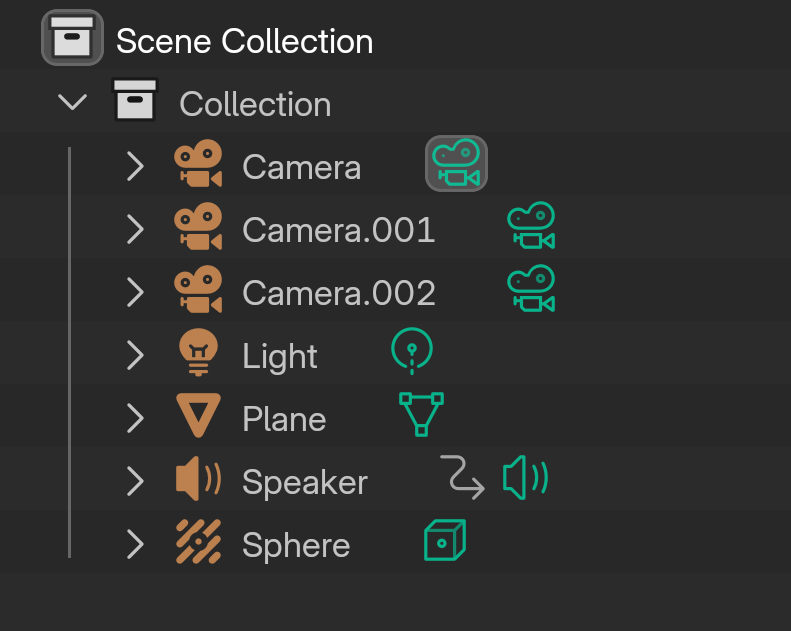
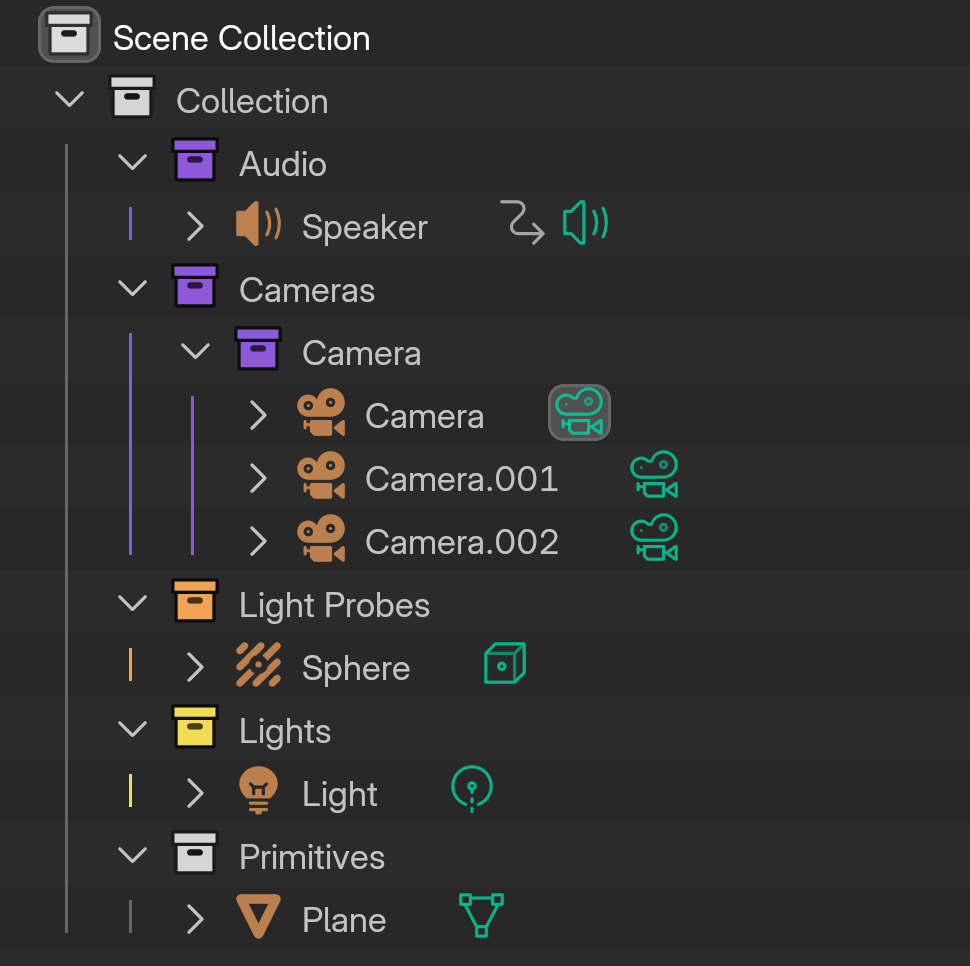
01
See It Running
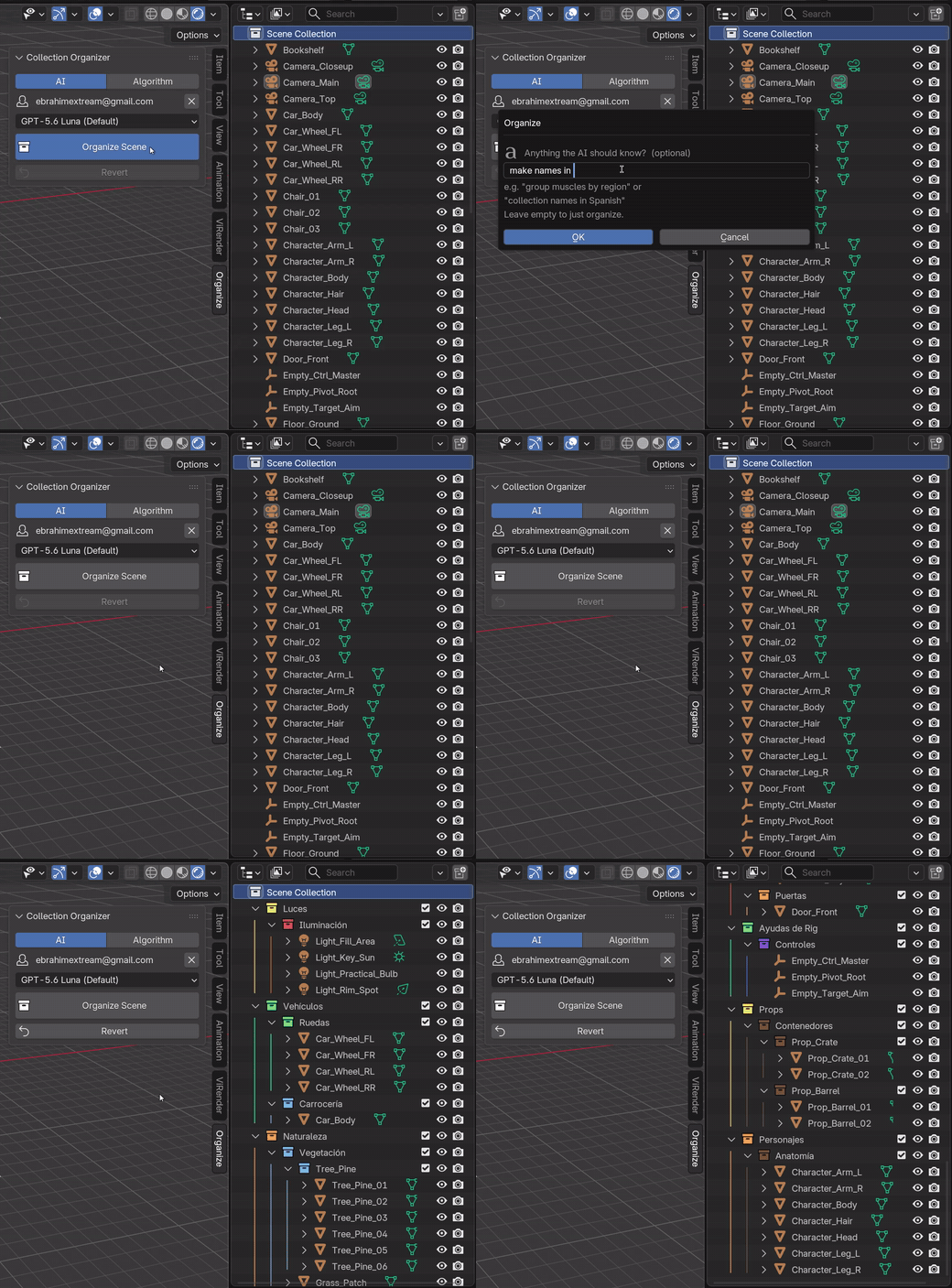
Unedited screen recordings from Blender 5.2 — real scenes, real timings.
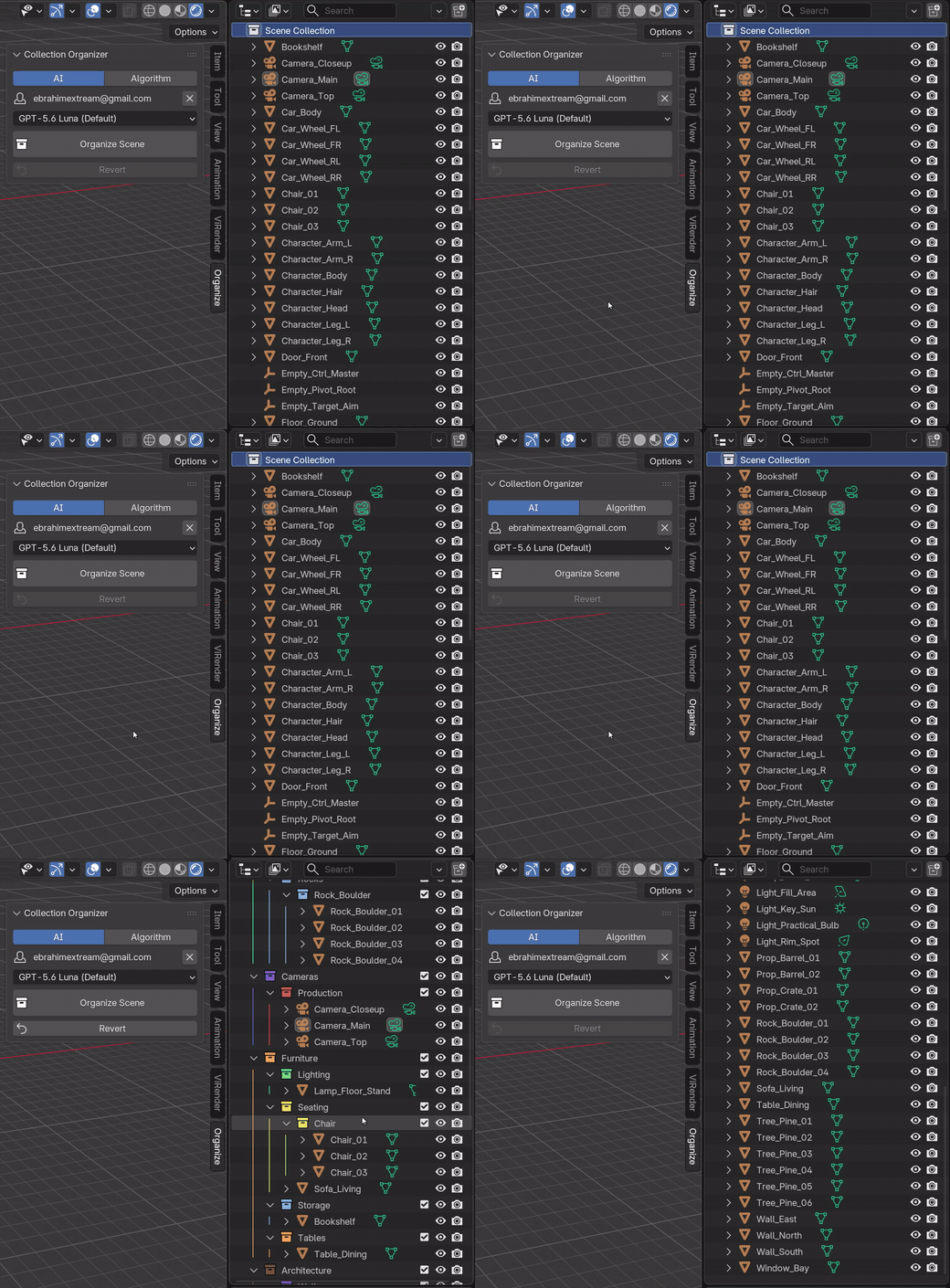
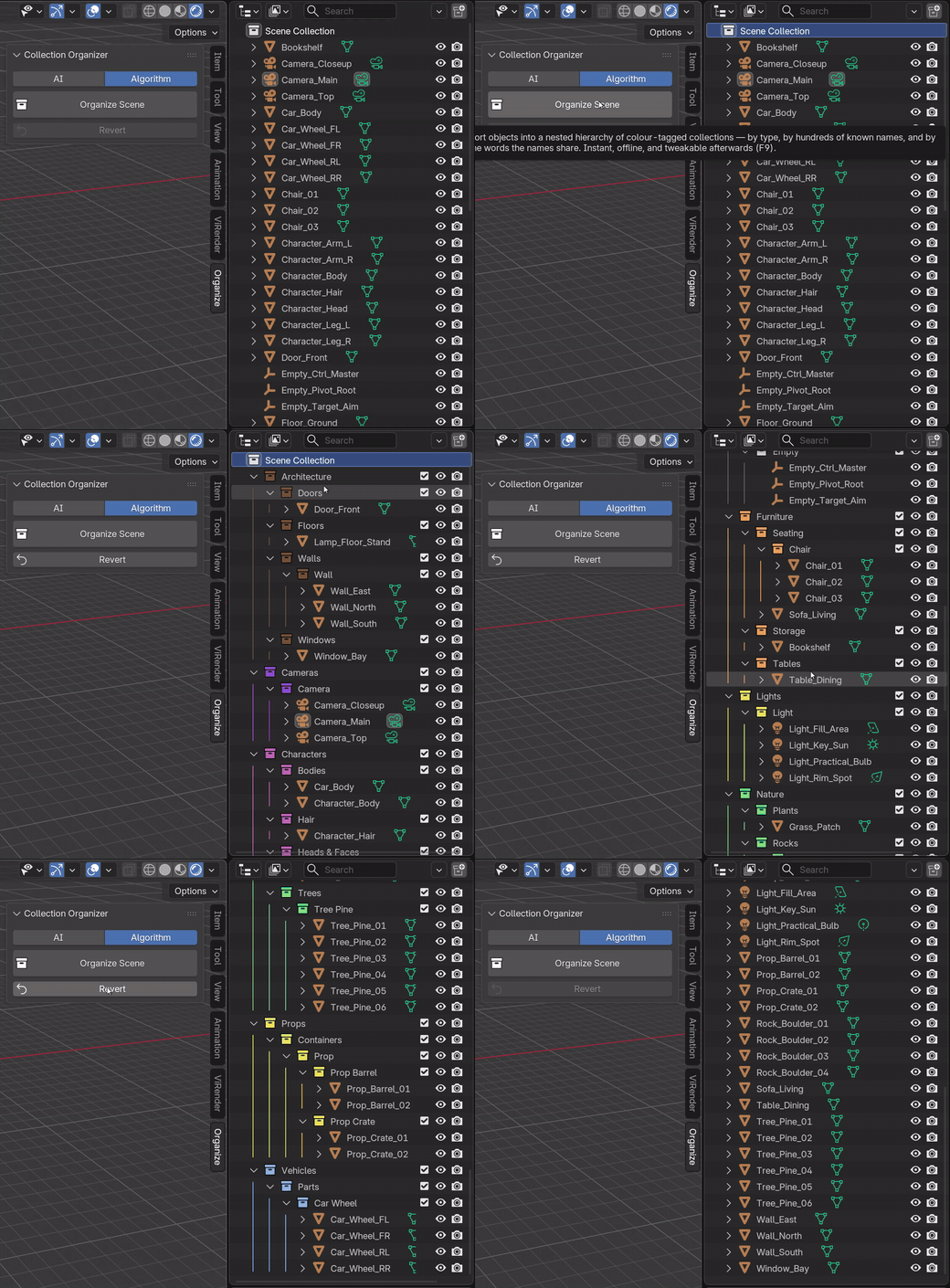
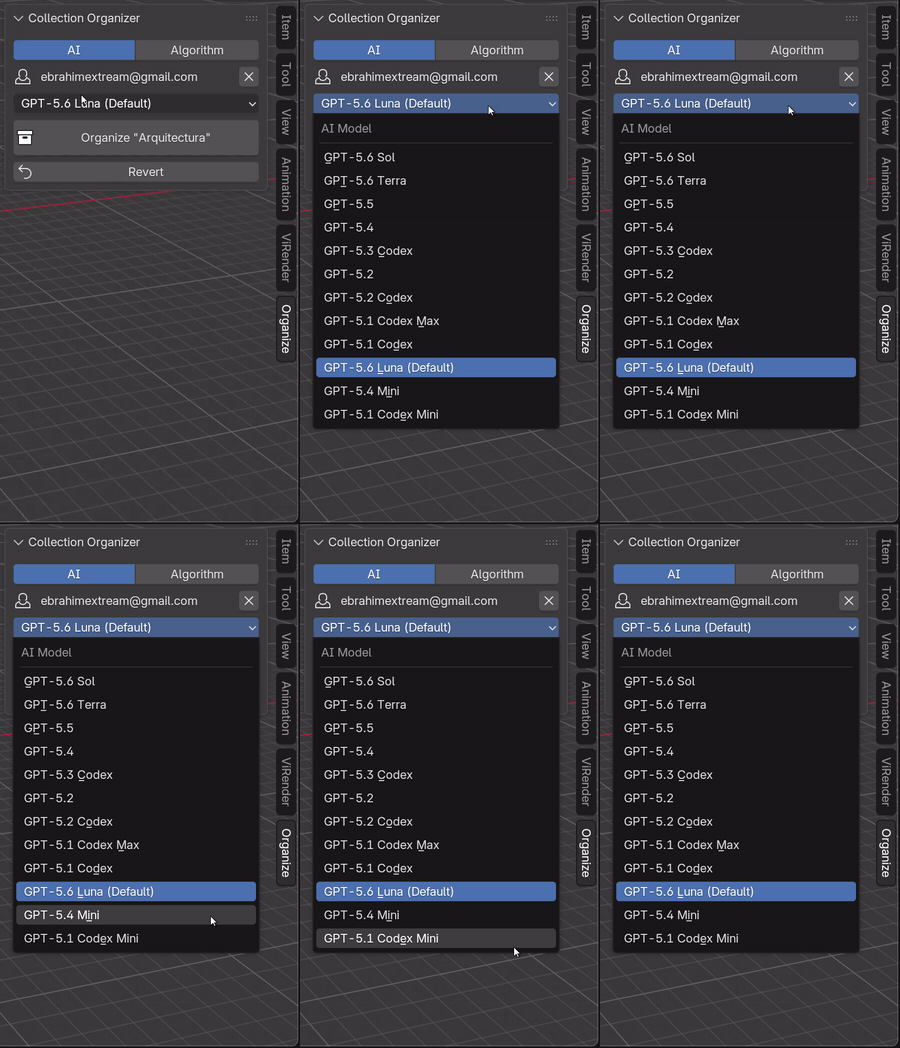
Every model, one dropdown
The list runs best to worst, newest first — GPT-5.6 Sol and Terra at the top, GPT-5.6 Luna as the fast default, down to Codex Mini. If your ChatGPT plan doesn't serve the one you picked, the add-on quietly falls back to the next available model and tells you which one answered.
Silent recordings — they start looping as you scroll to them, and load only then.
02
Try It Right Here
A live simulation of the add-on — click Organize Scene and watch.
Search…
Ready. 20 objects in the scene.
Everything above is real behaviour: live batch-by-batch organizing, the typo “Chiar” landing in Seating, “Plane” filed as a primitive (not an aircraft), collision meshes under Game Setup — and Revert.
03
What It Does
Two engines, one button — built for messy production scenes.
Organizing
- The whole scene, one collection (right-click it), or everything parented under one object
- Nested categories, broad to specific, up to 3 levels deep
- Colour tags fixed for known categories, hashed from the name for the rest — stable across runs
- Never creates
.001collections or leaves duplicate husks behind - Organize the same scene twice and the layout comes out identical
Reading your names
- 3,500+ known names across 20+ domains, matched entirely offline
- Typos (
Chiar), compounds (Streetlamp), abbreviations (Bldg) SM_/GEO_prefixes,UCX_collision,CTRL_rig helpers,_LOD0chains,.L/.Rpairs- Real object type wins: a light named Sun is a lamp, and a Plane is a flat mesh — not an aircraft
- 500 copies of one name count once, so a huge scene costs no more than a small one
Control & safety
- Revert restores the previous layout, several runs deep — nothing is ever deleted
Ctrl+Zworks normally alongside itF9re-tunes depth, minimum group size and L/R merging after a runEscstops an AI run and keeps whatever already landed- AI mode sends distinct names only — never geometry, files or scene data. Algorithm mode sends nothing at all.
04
Quick Controls
Everything lives where you already work.
05
Buyer Notes
The essentials before installing.
Blender 4.2 or newer
Built and tested on 5.2 LTS. Install from disk as an extension, enable it, then open View3D → Sidebar → Organize. Pure Python — no dependencies.
AI is optional
AI mode signs in with your ChatGPT account in the browser — a free account works, and no API key is needed. Pick any model from GPT-5.6 Sol down to Codex Mini. The Algorithm method never touches the network.
Launch price
$14.99 until August 22, 2026. Normal price is $20. Free updates for the 1.x series.
Version
1.1.0
Blender
4.2 minimum · 5.2 LTS tested
Location
View3D Sidebar · Organize
Platforms
Windows · macOS · Linux
Built and tested on Blender 5.2 LTS. Updates may include fixes and workflow improvements.